What to bring to the College of Business
A packing guide for Corvallis-based undergraduate freshman and transfer students

Technology
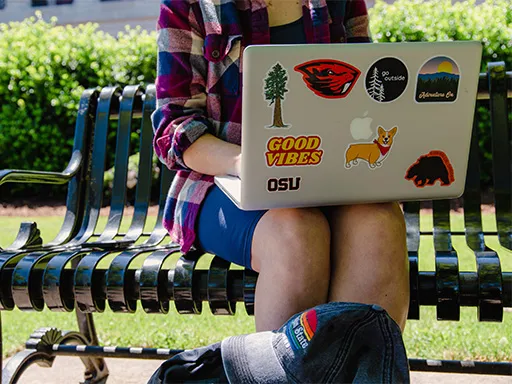
Set yourself up for success at Oregon State by arriving with the right technology and tools. As a College of Business student you will be required to utilize a laptop throughout the entirety of your academic career for all coursework. Tablets or phones may be used for personal note taking, but coursework cannot be completed on phones/tablets, and Chromebooks are not supported.
Review our College of Business Technology Requirements page for important technical specifications about our technology requirements. Coursework requires a dependable Mac or Windows laptop, and the page outlines key technical specs such as RAM, storage and graphics. It’s especially important for design majors, who may need higher-performance devices to run specialized software efficiently.
We also highly recommend a power bank or portable charger.
checklist
□ Laptop
□ Check Technology Requirements page
□ Portable charger or power bank
Software
It’s a great idea to download required software in advance, so you’re fully prepared from Day One. Installing programs early helps you troubleshoot issues, confirm compatibility with your laptop and avoid delays once classes begin. You’ll save time, reduce stress and be ready to jump straight into coursework assignments successfully. Programs to download and get familiar with before the term begins:
- Canvas – your online classroom for assignments, grades and announcements.
- Zoom – used for virtual meetings, group work and occasional events.
- Microsoft Office 365 – includes Word, Excel, PowerPoint and more (free with your ONID account).
The College of Business has IT support services, available to help troubleshoot. If you need assistance, you’re welcome to stop by the HelpDesk in Austin Hall 244 and speak with someone in person. You can also reach out by email at helpdesk@bus.oregonstate.edu or call 541-737-0947 for support.

checklist
□ Download important software in advance
□ Install free Microsoft Office 365 using your ONID
□ Get familiar/troubleshoot software in advance

What to bring and what to leave behind
Packing for OSU Housing
Here's your resource for the big question: what to bring and what to leave behind!
From bedding and kitchenware to study supplies and personal items, University Housing & Dining Services has a complete guide on what to pack for college.

(and how to do it your way!)
Why you should pack business professional attire
Looking ahead to your first term at the Oregon State University College of Business — there’s one thing you might not have thought of. And that is to pack business professional attire.
checklist
□ Student ID, health insurance cards and personal ID cards.
□ If you take any medications, bring them with you, and make sure you have a plan to get refills when you need them.
□ Professional business attire (or check out Benny’s Business Closet when you get to campus).
□ Umbrella or raincoat.
□ Notebooks, folders, pens and pencils.
□ Backpack or tote bag for carrying materials.
□ Noise-canceling headphones or earbuds.
□ Reusable water bottle.
□ Planner or digital calendar app for scheduling.
□ Once you register for classes, don’t forget to order your textbooks: Check the OSU Beaver Store or online options early to avoid last-minute shipping delays.
Related Blogs